
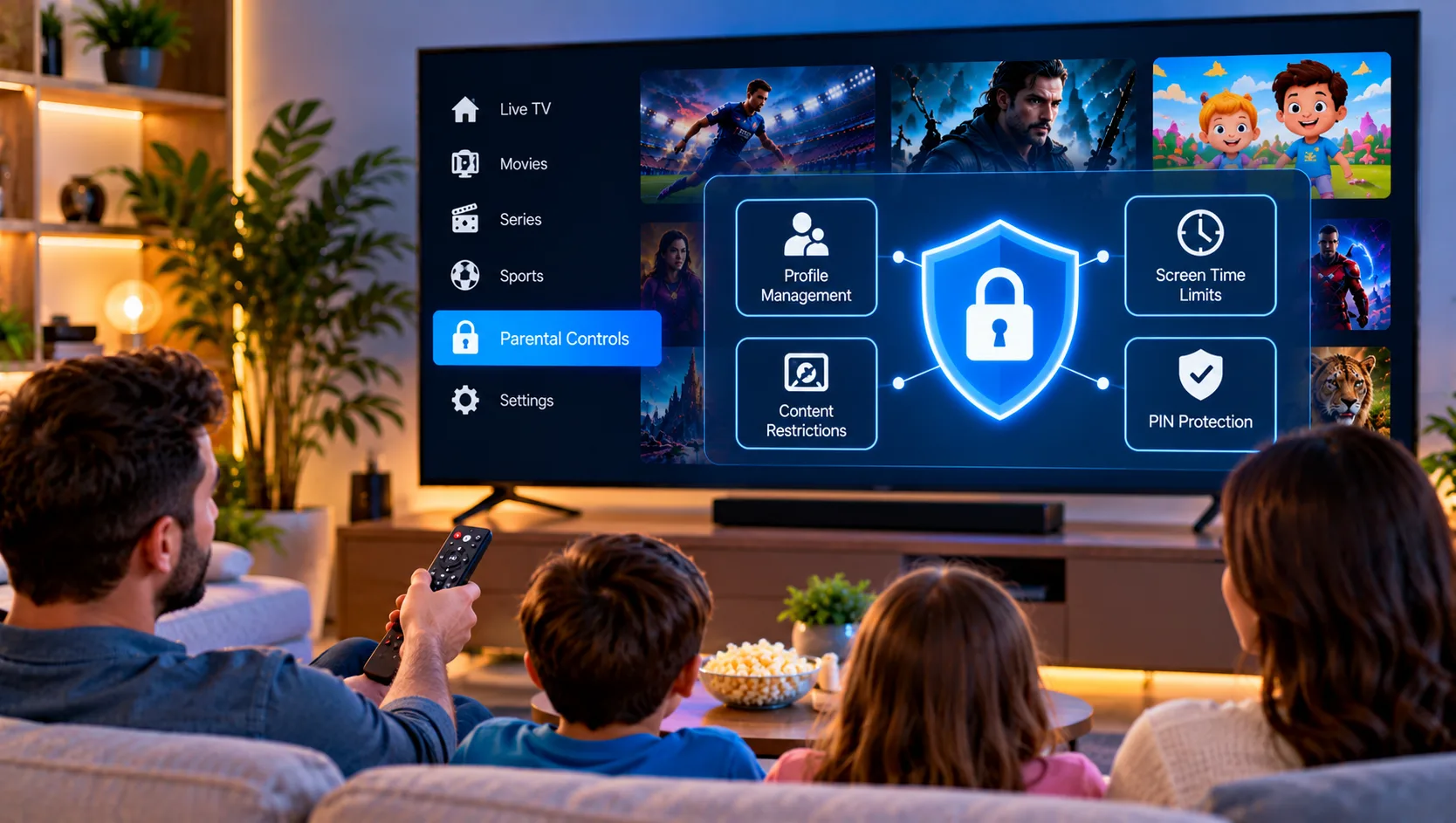
Families across Sweden increasingly watch television through apps instead of cable, and that shift raises a practical question: how do you keep children away from unsuitable material? Understanding IPTV parental controls is the first step toward a safer living room. Unlike traditional broadcasts, an internet-based service can offer thousands of channels, on-demand films, and series in one place, so a few well-chosen settings matter a great deal. This guide explains what the tools do, how to block channels and content, and what to consider around legality and responsible viewing.
How IPTV Parental Controls Work in Practice
Parental controls are filters that restrict what can be watched and by whom. On most IPTV players, they work in three layers. The first is a PIN code that locks specific channels, categories, or settings. The second is a content rating filter that hides programmes above a chosen age level. The third is a profile system, which gives each family member a tailored view of the library. When these layers are combined, a child can open the app and see only age-appropriate cartoons, while adults keep full access behind a code.
It helps to remember that the controls live inside the player app, not inside the subscription itself. Whether a feature exists depends on the app you choose, such as TiviMate, IPTV Smarters, or the built-in player on a smart TV. Communities like the TiviMate forum on Reddit show that many users struggle precisely here, because the options are often buried in menus. The setup instructions for each device are a good place to see where the relevant settings sit.
Setting Up a PIN Code and Locking Channels
The PIN code is the foundation of every other restriction, so it deserves attention first. Open the settings of your player, find the section for security or parental lock, and create a four-digit code that children cannot guess. Avoid obvious choices such as birthdays or 1234. Once the code is active, you can lock individual channels, entire groups, or the settings menu itself. Locking the settings menu is easy to forget, yet it prevents a curious child from simply switching the filter off.
Blocking Individual Channels and Categories
Blocking a single channel is useful when one network carries content you do not want in the house. Long-press the channel in the list, choose the lock or hide option, and confirm with your PIN. Blocking a whole category works the same way, and it is usually faster. If the playlist contains groups labelled adult, late night, or mature, locking those groups removes dozens of channels at once. Hiding a channel is not identical to locking it, so check which behaviour your app offers.
Using Profiles and Age Ratings
Profiles are the most family-friendly feature because they remove the need to type a code every time. Create a child profile, limit it to a short list of approved channels, and set the age rating to match your child. The adult profile stays protected by PIN. Streaming apps and some IPTV players also let you restrict video-on-demand libraries, so films and series with violent or explicit themes stay hidden. For households with teenagers, a gradual approach works best, widening access as the child matures.
Device-Level Controls That Add Extra Protection
App settings are only one layer. Smart TVs, Android boxes, Fire TV sticks, and phones all include their own restrictions, and these work independently of the IPTV player. On Android devices you can enable a restricted profile or use a family management app to limit which applications open. Apple devices offer Screen Time, which can block apps by age rating and set daily limits. Router-level filtering is another option, since it blocks unsuitable websites across every device on the home network. Combining app and device controls closes the gaps that any single tool leaves open.
Why the Source of Your Service Matters
Parental controls protect children from content, but the provider you choose affects a different kind of risk. In Sweden, upphovsrätt, or copyright law, protects the rights holders of broadcasts, films, and sport. Illegal streaming through unlicensed sources can therefore expose users to legal trouble, and myndigheter have taken action against unauthorised services in recent years. Fines, known as böter, are possible in some cases. Choosing a laglig IPTV service with a transparent abonnemang, clear terms, and reliable support is a safer path for families. You can compare the available IPTV subscription plans to see how duration and device options differ.
Content Types Worth Restricting
Not every risk is adult content. Parents should think about several categories when deciding what to block. Violent films and crime series can be distressing for younger viewers. Adult channels and mature on-demand sections are the obvious priority. Live news may show disturbing footage without warning, and some sports or betting channels carry gambling advertising. Finally, unrestricted browsing inside an app can lead to unmoderated material. A short review of your channel list, done together with older children, often reveals more than expected and opens a useful conversation about media habits.
Choosing a Service That Supports Family Viewing
A well-organised channel lineup makes blocking easier. When channels are sorted into clear groups, a parent can lock an entire section in seconds instead of searching through thousands of entries. Reviewing the channel and content selection before subscribing helps you see how categories are structured. Other providers such as Sverige IPTV also describe their offerings online, so comparing how different services present streamingtjänster and rättigheter is a reasonable step. Stable HD and 4K delivery matters too, because buffering often tempts children to switch to unmonitored sources.

Common Mistakes and Troubleshooting Tips
Several problems appear again and again. Some players reset the PIN after an update, so test your locks after every app upgrade. Others hide channels but still show them in the search results, which defeats the purpose. A forgotten code usually requires clearing the app data, which also removes your settings, so write the PIN down somewhere safe. If a restriction does not behave as expected, the frequently asked questions page covers many typical player issues.
Talking With Children About Safe Streaming
Technology can only do so much. Children are often quicker than adults at finding workarounds, so open conversation is the strongest safeguard. Explain why certain channels are locked, agree on viewing times, and encourage them to speak up if something upsetting appears on screen. Keep the television in a shared room where possible, and review the settings every few months as your family’s needs change. Clear rules, combined with sensible technical limits, create a viewing environment that feels fair rather than restrictive.
Final Thoughts
Parental controls work best as a layered system made up of a PIN code, child profiles, locked categories, and device-level restrictions, supported by regular conversations at home. Families who choose a transparent service and keep their settings up to date can enjoy a wide range of programming with far fewer everyday worries. It is sensible to test every lock before handing the remote to a child. For anyone who would like more information or wants to ask questions directly, it is also possible to contact via WhatsApp here: