

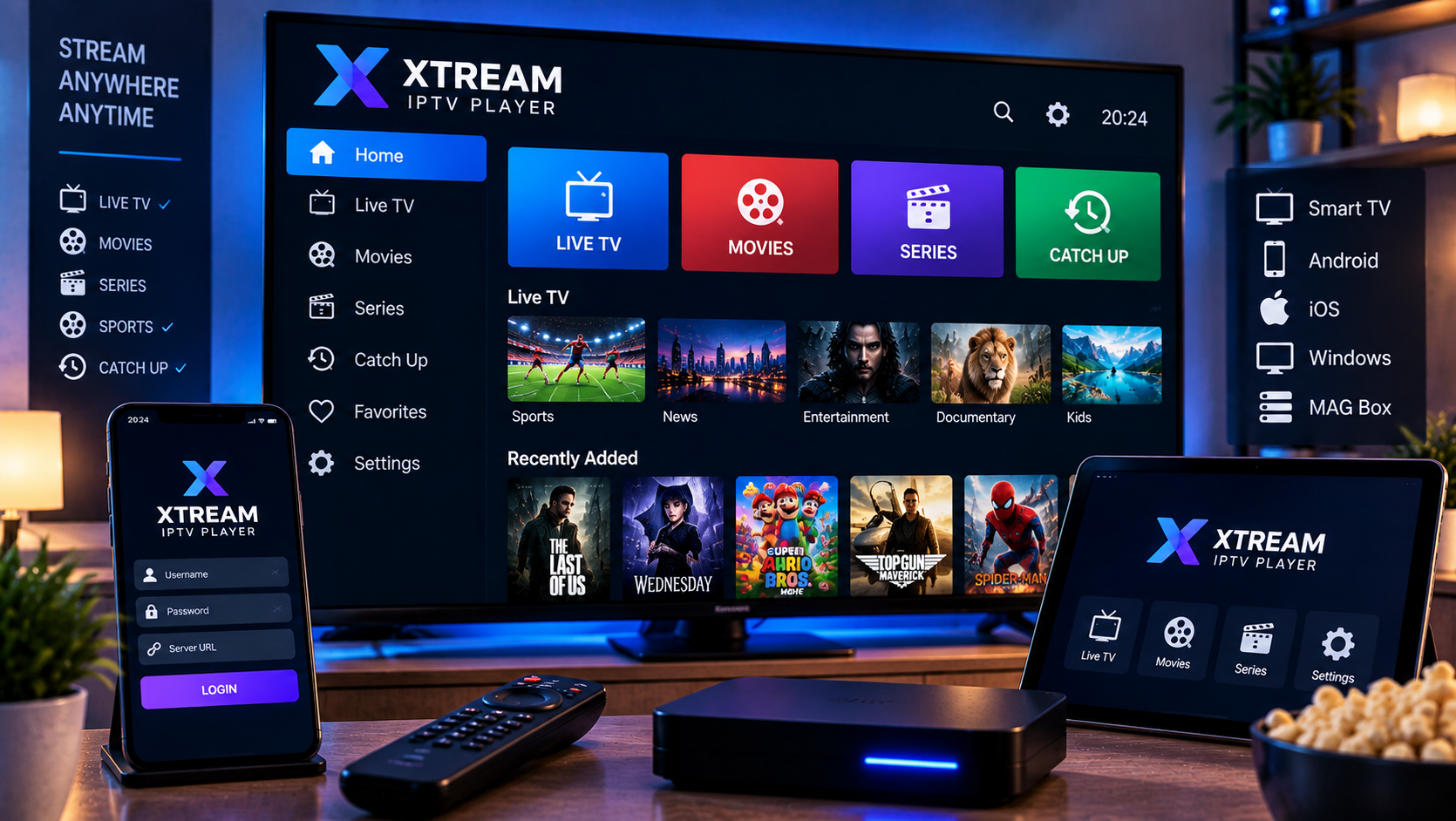
An xtream iptv player helps you connect a subscription, playlist, or legal stream source to a clean viewing interface on your phone, tablet, TV, or computer. The two app store sources for this topic show what users now expect: M3U and M3U8 playlists, Xtream Codes API, live TV, movies, series, EPG support, Chromecast, AirPlay, Picture in Picture, favorites, 4K playback, and simple navigation. They also make one point clear. These apps are media players, not content providers, so users must bring their own lawful streams and understand safety before watching.
xtream iptv player features to check first
Start with the login method. Xtream Codes usually means server URL, username, and password. M3U is a playlist link. M3U8 is often used for segmented streams. EPG, sometimes supplied through XMLTV, shows what is on now and later. A strong app should accept your format without strange workarounds.
The Google Play competitor highlights support for M3U, M3U8, Xtream Code API, live channels, movies, series, program guide, Chromecast, AirPlay, Android TV, smartphones, tablets, and Picture in Picture. The Apple listing focuses on adding your own channels, live sports, VOD, series, playlists, favorites, 4K, iPhone, iPad, Mac compatibility on Apple silicon, and in app purchases.
Player, not provider
A player does not normally include channels. It reads the details you add. On Viking IPTV’s channel overview you can see how live TV, sports, films, and series can be grouped clearly. Use that structure when judging any app.
Android, Apple, and TV compatibility
Android users often get the widest player choice. A good Android app should work on phones, tablets, Android TV, and sometimes casting to Chromecast. Check remote control comfort if you use it on a big screen. Touch-friendly menus do not always feel good with a TV remote.
Apple users should look closely at platform support. Some apps run on iPhone and iPad, while others also support Apple TV or Mac. The Apple source reviewed here says it is designed for iPad, works on iPhone and iPad, requires recent iOS or iPadOS, and can run on certain Macs. That does not automatically mean it is ideal for Apple TV living room use.
Smart TV expectations
Samsung and LG TVs use their own app ecosystems. If a player is not in your TV store, avoid random installer files. An external Android TV, Firestick, Apple TV, or set top box may be safer and smoother.
Setup steps that prevent errors
Install from official stores or verified developer websites. Open the app, create a new profile, and choose Xtream, M3U, or another supported method. Paste the server URL, username, password, playlist URL, or EPG source exactly. One extra space can create an empty list or failed login.
Viking IPTV’s installation guides help explain profile name, playlist URL, server address, Xtream details, EPG source, DNS, VPN, and cache settings across common devices. Follow one setup path fully before changing advanced options.
First playback test
Let the playlist load completely. Open one Swedish channel, one sports channel, one movie, and one series episode. Check startup time, buffering, audio sync, subtitles, search, favorites, EPG, and whether the app resumes after restart.

EPG, favorites, and VOD
EPG is the difference between a raw channel list and a television experience. If the guide is empty, confirm whether your provider sent a separate XMLTV URL. If times are wrong, check device clock, time zone, daylight saving, and app cache. If only some channels have guide data, the issue may be channel matching.
Favorites are equally important. Large lists with thousands of channels become tiring unless you hide unused groups and save the content you actually watch. Movies and series should show categories, posters, descriptions, seasons, episodes, subtitles, and resume watching where possible.
Casting and Picture in Picture
Chromecast, AirPlay, and Picture in Picture are useful, but test them before depending on them. Casting can fail when the stream format, network, device permission, or app license does not support it cleanly.
Pricing, purchases, and privacy
Many IPTV players are free to install but include ads, in app purchases, subscriptions, unlocks, or activation fees. Check the store listing before adding account details. The Google Play source shows ads and in app purchases, while also declaring no data collection, no third party data sharing, and encrypted data in transit. The Apple source lists in app purchases and usage data that may be collected but not linked to identity.
These details matter because IPTV accounts can include private playlist links, usernames, and server addresses. Read privacy labels, support details, developer identity, refund rules, and update history before relying on an app every day.
Avoid cracked versions
Do not install modified APKs, unofficial iOS profiles, unknown Windows files, or links from private chats. A media player should not require disabling basic device security.
Legal and safety context in Sweden
IPTV is a delivery method, not proof that content is lawful. Channels, sports, films, and series are controlled by copyright and broadcasting rights. Swedish users may see terms such as upphovsrätt, laglig IPTV, abonnemang, streamingtjänster, myndigheter, böter, rättigheter, and illegal streaming. The Apple listing even reminds users to find a legal IPTV service and says the app does not endorse copyrighted material without permission.
Ask how rights are handled for Sweden and keep written answers. A neutral comparison with Sverige IPTV can show how another provider presents packages and device support, but every service should be judged separately by rights, terms, payment, support, and safety.
Protect your account
Never post M3U links, portal addresses, usernames, or passwords in forums. They may contain account identifiers and can lock the account if shared.
Subscription fit and troubleshooting
The app is only half of the experience. Your subscription controls channels, VOD, catch up, simultaneous streams, and support. Before choosing a longer period, confirm device rules, renewal terms, and connection limits on Viking IPTV’s subscription page. Read frequently asked questions before changing VPN, DNS, cache, or advanced player settings.
If everything buffers, test Ethernet, restart router and device, and compare another app. If only VOD fails, the library server may be separate. If login works on one device but not another, check app format support.
Final review method
Test two apps using the same playlist, device, network, and evening viewing time. Score setup, interface, guide, search, subtitles, casting, privacy, stability, and support. The best option is the one that works calmly in your normal home routine.
Check storage as well. Apps that download posters, logos, guide entries, and VOD metadata can fill small devices quickly. Clear unused profiles, remove dead playlists, and restart after large imports. For family use, keep adult categories hidden and create a simple favorites row so less technical viewers are not forced into confusing menus every evening during normal viewing hours.
Final thoughts
A capable player should support your login format, organize channels clearly, protect account details, show guide data, and handle legal streams reliably on your preferred device. A natural recommendation is to test the app with your real playlist before making it your main viewing option. For anyone who would like more information or wants to ask questions directly, it is also possible to contact via WhatsApp
