

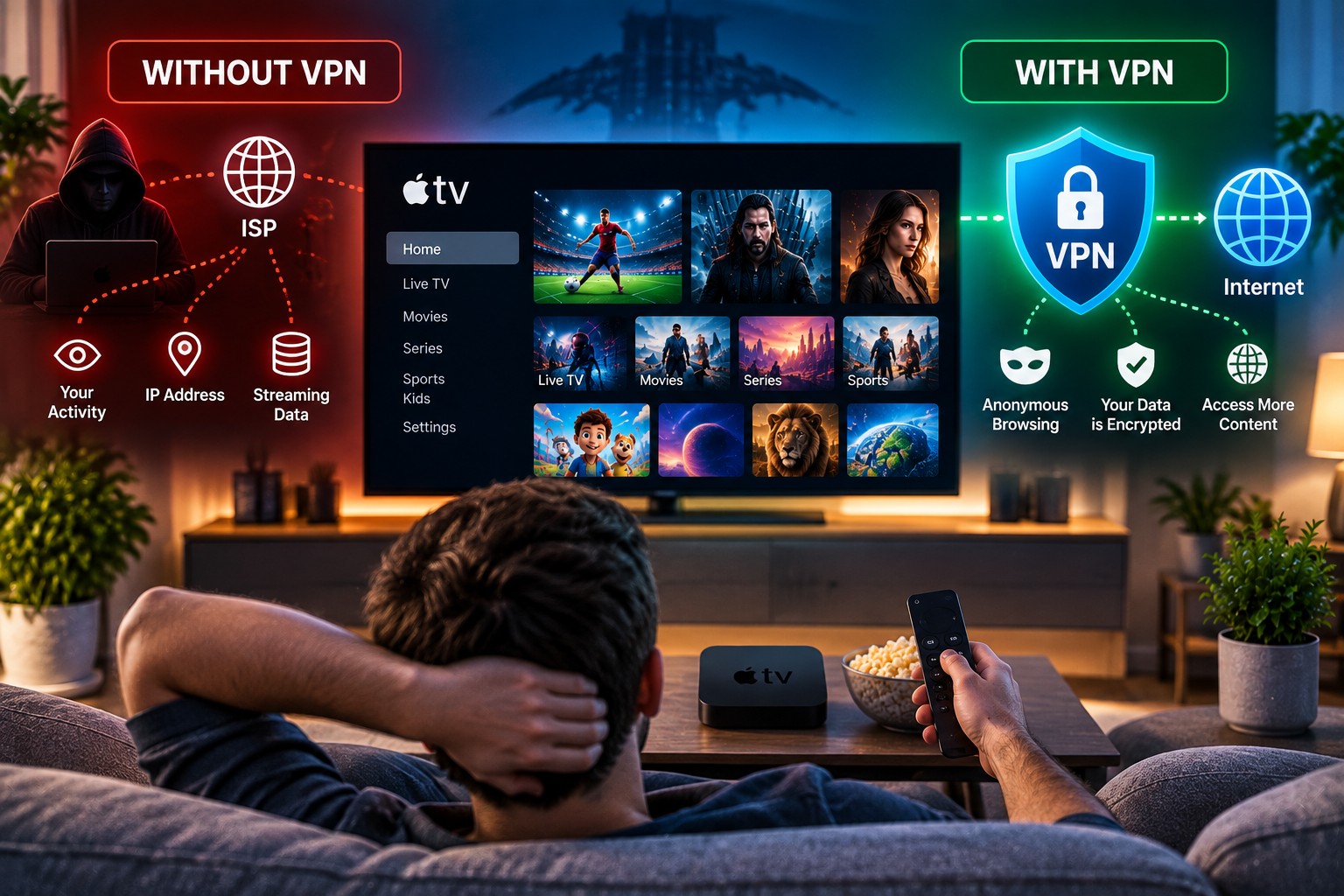
If you are asking do you need a vpn for iptv, the honest answer is: sometimes, but not always. A VPN can improve privacy, protect streaming activity on shared WiFi, hide your home IP address, and sometimes help when an internet provider slows specific video traffic. It can also add latency, reduce speed, break EPG loading, or make a good stream worse. For Swedish viewers using live TV, sports, movies, series, HD, Full HD, or 4K, the smart choice is to test your real setup instead of believing one simple rule.
do you need a vpn for iptv: the honest answer
Use a VPN when it solves a specific problem. Common reasons include privacy on hotel WiFi, safer streaming on shared networks, activity based throttling, and wanting traffic encrypted between your device and the VPN server. You may not need one at home if your streams are already stable, your provider supports your region, and your network is private.
A VPN changes routing. It does not create channels, fix a weak provider, or make unlicensed content legal. Competitor guides often promote VPN benefits, while user discussions ask whether VPNs improve or worsen streaming. Both sides are right, depending on the cause of the problem.
The simplest rule
Test with VPN off, then test with VPN on. Use the same channel, device, app, network, and time of day. Evidence from your room matters more than generic advice.
When a VPN can help
A VPN may help when your internet provider identifies heavy video traffic and slows it during peak hours. Encryption can make the traffic harder to classify. It can also protect your connection on public WiFi, where other users share the same network. Travelers may like having one privacy layer before entering playlist details, usernames, or passwords.
It may also help if a route between your provider and IPTV server is poor. Sometimes a nearby VPN server takes a cleaner path. This is not guaranteed, but it is easy to test.
Privacy benefits
A VPN hides your home IP address from the streaming destination and reduces what the local network can see. It does not hide everything from the VPN company, so choose a trusted provider with clear privacy policies.
When a VPN makes IPTV worse
If buffering is caused by weak WiFi, an overloaded server, an old Firestick, a slow smart TV app, a huge playlist, or provider downtime, a VPN will not fix the root problem. It adds encryption work and an extra server hop. Distant servers, crowded free plans, and weak protocols can make 4K streams stutter.
If live TV loads but VOD fails, the video library may use a different server. If EPG disappears only with the VPN on, the guide source may reject that route. If login fails, your account may expect a specific region.
Free VPN caution
Free VPNs often include speed caps, ads, data limits, weaker support, and unclear data practices. For streaming, those limits show quickly.

Best device setup methods
Firestick and Android TV are usually easiest because many VPN apps install directly. Windows, macOS, iPhone, iPad, and Android phones are also simple. Connect the VPN first, then open the IPTV player. If the player was already open, close it and restart so the connection refreshes.
Samsung TV, LG TV, Apple TV, MAG boxes, and some set top boxes may require router setup instead. Router VPN protects the device automatically, but configuration takes more care. Check whether your router supports VPN client mode. Some ISP routers do not.
Viking IPTV’s installation guides are useful when separating IPTV app setup from DNS, VPN, cache, server URL, M3U, Xtream, and EPG fields.
Router setup warning
Write down original router settings before changing anything. If all household devices slow down after VPN setup, use split routing if available.
IPTV formats and VPN behavior
M3U is a playlist link. M3U8 is common for segmented streams. Xtream usually includes server URL, username, and password. EPG is the electronic program guide. A VPN can affect each part differently because live channels, guide data, and on demand libraries may come from separate servers.
If the playlist loads slowly, wait before changing settings. Large channel lists can take time. If only the guide is wrong, check time zone, daylight saving, XMLTV source, and app cache. On Viking IPTV’s channel overview you can see how live TV, sports, films, and series can be grouped clearly for easier testing.
Account security
Never post M3U links, portal addresses, usernames, or passwords in forums. They can contain account identifiers and may lock the account if shared.
Legal rights and Swedish safety
IPTV is a delivery method, not proof that content is lawful. Channels, sports, movies, and series are protected by copyright and broadcasting rights. Swedish users may see terms such as upphovsrätt, laglig IPTV, abonnemang, streamingtjänster, myndigheter, böter, rättigheter, and illegal streaming when researching providers. A VPN may protect privacy, but it does not grant rights to watch protected content.
Ask how rights are handled for Sweden and keep written answers. On Viking IPTV’s subscription page you can review the kind of period, device, and usage details that should be clear before relying on any plan.
A neutral comparison with Nordic IPTV King can show how other providers describe packages and device support, but every service should be judged separately by rights, terms, payment, and support.
Avoid risky instructions
Be careful with sellers who tell you to disable firewalls, install cracked apps, erase chats, or pay through unclear private accounts.
Practical testing checklist
Start without a VPN. Test one Swedish channel, one sports channel, one movie, and one series episode. Check startup time, buffering, subtitles, audio sync, EPG, and channel switching. Then enable the VPN and repeat the same test. Record server country, protocol, device, app version, VPN status, and time of day.
If the VPN improves every stream during peak hours, throttling or routing may be involved. If it only helps one category, the issue may be a particular server path. If it makes everything worse, turn it off for IPTV.
Read frequently asked questions before changing DNS, VPN, cache, or advanced settings.
Troubleshooting order
Restart router and device. Try Ethernet. Use a nearby VPN server. Change protocol. Clear app cache. Test another device. Then contact support with exact details.
Speed expectations for HD and 4K
For normal HD, modest speed headroom may be enough, but 4K needs more consistent bandwidth and lower delay. Close cloud backups, game downloads, and video calls before testing. If your VPN app shows server load, avoid crowded locations. If the device feels hot, restart it and let it cool. Heat can look like network buffering, especially on compact streaming sticks at night.
Final thoughts
A VPN is useful for privacy, public WiFi, travel, and some throttling cases, but it should be treated as a tool, not a requirement. A natural recommendation is to test both ways and keep the setup that gives stable streaming while respecting legal rights. For anyone who would like more information or wants to ask questions directly, it is also possible to contact via WhatsApp here:
